
Work Orders
Work Order Management System for South Africa
A comprehensive work order management system for dispatching, tracking, and completing field service tasks. Technicians receive assigned work orders with priority indicators, due dates, and linked form templates. The system tracks the complete lifecycle from creation through assignment, acceptance, execution, review, and completion. Managers gain visibility into work order status, completion rates, and time-to-completion metrics across all sites and technicians.
- Complete lifecycle tracking from creation to completion
- Real-time status updates and notifications
- Photo and video documentation with timestamps


Work Orders highlights
- Complete lifecycle tracking from creation to completion
- Real-time status updates and notifications
- Photo and video documentation with timestamps
- Priority indicators and due date alerts
- Parts used and time tracking
- Multi-level approval workflows
- Comprehensive reporting and analytics
- Mobile-first field execution
What is a work order management system, and how does Worxit run one?
A work order management system dispatches field tasks and tracks each one until it is done. In Worxit's Work Orders module, the dashboard creates a work order with a priority, a due date and a linked form template, and assigns it to a technician. The technician accepts it on mobile, which starts time tracking, completes the form, captures timestamped photos and videos, and logs the parts used. The job then goes through multi-level approval, where a reviewer can reject it and send it back, before it closes with a full audit trail. Every work order moves through the same stages: created, assigned, accepted, in progress, review and completed. Managers see completion rates and time-to-completion across sites and technicians, and export reports to Excel or PDF. Licences follow standard Worxit pricing: the dashboard is R600 per month, including one admin user, and each phone, tablet or radio running the app needs a R350 monthly device licence, all ex VAT.
Before and after
What problems does work order software solve?
Dispatch and track field service tasks with complete lifecycle management and real-time updates. Designed for field service teams and maintenance operations.
Without Zamatrack
- Work orders tracked manually or in spreadsheets
- No visibility into technician workload or progress
- Delayed completion notifications
- Missing documentation and photos
With Zamatrack
- Automated work order dispatch and tracking
- Real-time status updates from the field
- Complete documentation with photos and timestamps
- Performance metrics and completion analytics
How it works
How does work order software work?
Simple, repeatable steps, built for teams moving fast across sites.
Create & Assign
Dashboard creates work orders and assigns to technicians with priority and due dates.
Accept & Start
Technicians accept tasks on mobile and begin work with time tracking.
Execute & Document
Complete tasks with forms, capture photos/videos, and log parts used.
Review & Complete
Submit for approval, track status, and close with full audit trail.
Core features
What features does work order software include?
Not a full feature dump, just the capabilities that make the solution powerful.
Lifecycle Management
Track work orders through all stages: Created, Assigned, Accepted, In Progress, Review, Completed.
Priority & Alerts
High, medium, low priority levels with automated due date notifications.
Form Templates
Linked form templates for structured task completion and data collection.
Photo/Video Capture
Document work progress and completion with timestamped visual evidence.
Parts Tracking
Log materials, components, and inventory used during service.
Time Tracking
Automatic start/end time logging for accurate billing and productivity metrics.
Approval Workflows
Multi-level approval process with rejection handling and revision tracking.
Reporting & Analytics
Completion rates, time-to-completion metrics, Excel/PDF exports, and filtering.
Compared
How does Worxit compare with spreadsheet work orders?
| Feature | Manual or spreadsheet tracking | Worxit Work Orders |
|---|---|---|
| Job status | Manual or spreadsheet trackingCompletion is reported late | Worxit Work OrdersReal-time status updates from the field |
| Technician workload | Manual or spreadsheet trackingNo visibility into workload or progress | Worxit Work OrdersAssignments and progress per technician |
| Documentation | Manual or spreadsheet trackingPhotos and paperwork go missing | Worxit Work OrdersForms, timestamped photos and parts in the job |
| Time on the job | Manual or spreadsheet trackingRecorded manually | Worxit Work OrdersStart and end logged automatically |
| Reporting | Manual or spreadsheet trackingCompiled by hand | Worxit Work OrdersCompletion rates and time-to-completion, Excel or PDF |
Product tour
What does work order software look like in Worxit?
See how the workflow maps to real operations: capture, verification and reporting.
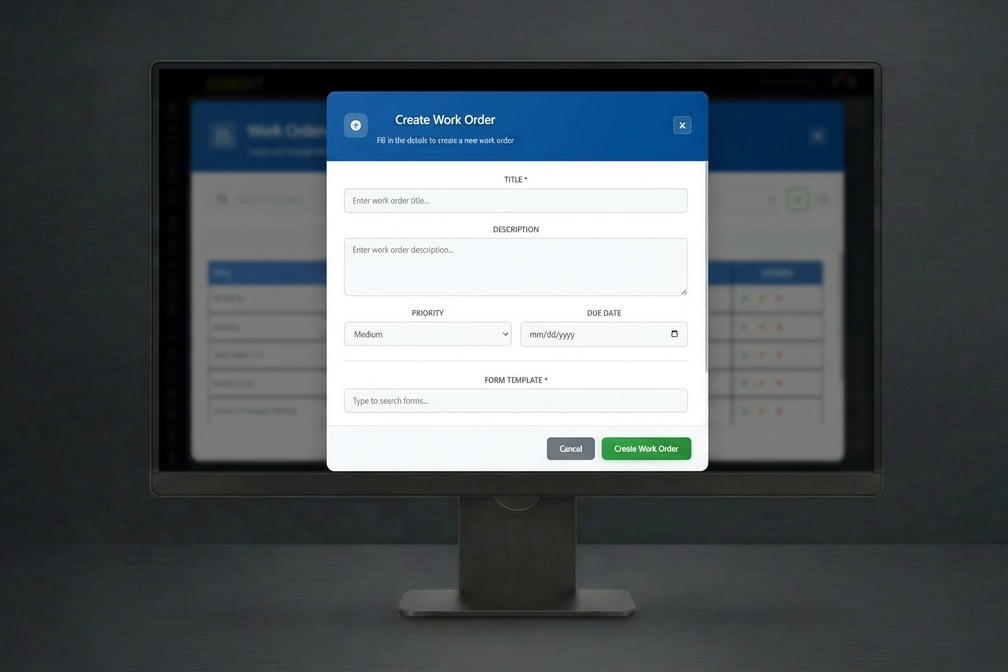
Operations dashboard
Centralised visibility with audit-ready records and fast filtering by site.
- Complete lifecycle tracking from creation to completion
- Real-time status updates and notifications
- Photo and video documentation with timestamps
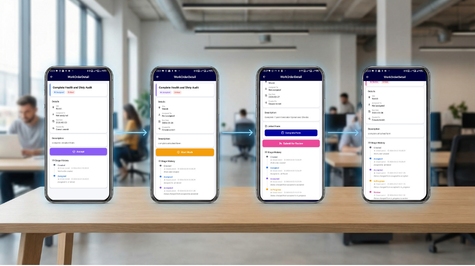
Mobile execution
Designed for field teams: fast capture with verification and minimal admin.
- Lifecycle Management
- Priority & Alerts
- Form Templates
Use cases
Who is work order software for?
Common teams and environments where this solution delivers immediate impact.
Field service and repair technicians
Facility maintenance teams
Equipment servicing companies
Property management operations
HVAC and electrical contractors
Multi-site maintenance coordination
See Work Orders working on your sites
A 30-minute live demo, tailored to your operation. No obligation.
Measurable outcomes
What results can you expect from work order software?
Results-focused impact: clear improvements your team can feel quickly.
Faster work order completion times
Improved technician productivity
Complete audit trail and compliance
Reduced administrative overhead
Works with
- Mobile devices
- Dashboards
- Excel exports
- PDF reports
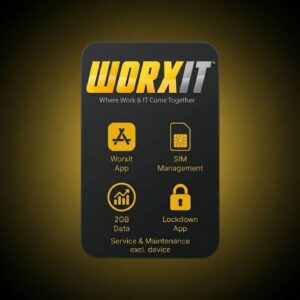
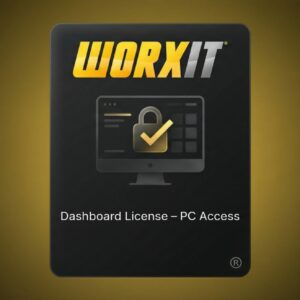
Hardware and licences
What hardware and licences do you need?
Hardware and licences designed for this solution, available in our online store.


Guides
Which guides go deeper on this?
In-depth operational frameworks, compliance guides, and technology comparisons.
Work Order Management Systems for Facilities & Field Teams
How facility managers assign, track, and close work orders with real-time field progress updates and photographic evidence.
Read guideWorkflow Automation for Business Operations in South Africa
Trigger automated escalation rules when high-priority maintenance tickets exceed contracted client SLAs.
Read guideHow to Write a Work Order
The fields every work order needs, a template table, worked examples and the mistakes that send technicians back to site.
Read guideWork Order Priority Levels
An impact-by-urgency priority matrix, example response and resolution targets, contractor SLA terms and escalation for maintenance jobs.
Read guideFAQ
What do buyers ask about work order software?
Common questions from teams evaluating work orders.
What is a work order management system?
A work order management system dispatches field tasks and tracks them to completion. Zamatrack's Work Orders module in Worxit assigns jobs to technicians with priorities, due dates and linked forms, and tracks each one from created to completed, with timestamped photos and a full audit trail.
How do technicians receive and complete work orders?
Technicians accept assigned work orders on mobile, which starts time tracking. They complete the linked form, capture photos and videos, log the parts used, then submit the job for review.
Can completed work orders require approval?
Yes. Work can go through multi-level approval. A reviewer can reject a job and send it back, and each revision is tracked, so the closed record shows the full history.
What work order reports can managers see?
Managers see completion rates and time-to-completion across sites and technicians, with filtering and exports to Excel or PDF.
One platform
Which modules work well alongside it?
Every module shares the same dashboard, users and reports, so you can add more as you grow.
Maintenance Rounds
Schedule, verify, and report maintenance checks with real-time oversight and proof of work.
Learn moreAsset Management
Register, verify, and track assets across sites with check-in/out, transfers, and GPS proof.
Learn moreInventory Tracking
Track stock movement across sites with verified scans, timestamps, and audit-ready reporting.
Learn moreReady to see Work Orders in action?
Book a 30-minute live demo and see how Worxit fits your sites, teams and reporting.