
Custom Reports
Security Management Reporting Software
A fully mobile data-collection engine designed for operations teams who need reliable reporting in the field. Staff can capture structured data, images, videos, signatures, geolocation and scan codes in real time, even when offline. Worxit ensures every report is time stamped, linked to the correct site and securely synced to the cloud once a connection is restored. Managers can export, track activity per site, and maintain operational compliance across multiple locations.
- Scan Barcodes and QR Codes
- Photos and Videos
- Signatures
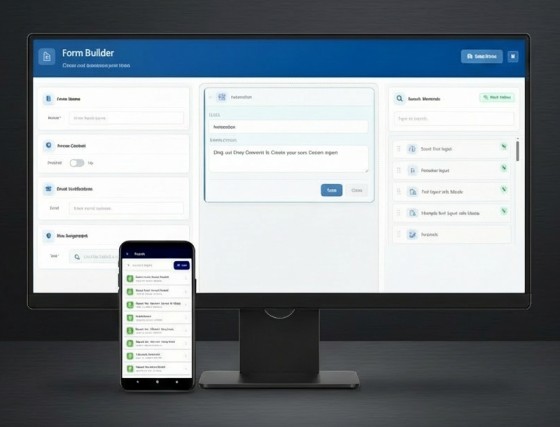

Custom Reports highlights
- Scan Barcodes and QR Codes
- Photos and Videos
- Signatures
- GPS Location
- Reports by Site
- Worxit Offline
- OCR Scanner
- SADL Scan
What is security management reporting software, and how does Worxit run it?
Security management reporting software replaces paper forms with structured reports captured on mobile and stored in one place. With Worxit's Custom Reports module, field staff complete structured report forms and add photos, videos, signatures, the GPS location, barcode and QR code scans, text read by the OCR scanner, and South African driving licence (SADL) scans. Every report is time-stamped, recorded against the user and linked to the correct site. Staff keep capturing without signal, and reports sync securely to the cloud when the connection returns. Managers filter reports by site, track activity per site and export the records, so compliance teams have audit evidence without collecting paper from each branch. Reports run on smartphones and on rugged devices such as the P100s tablet, the Urovo CT58 and the Chainway C66. Licences follow standard Worxit pricing: the dashboard is R600 per month, including one admin user, and each phone, tablet or radio running the app needs a R350 monthly device licence, all ex VAT.
Before and after
What problems does security reporting software solve?
Digitise, track, and verify field reporting in real time across all sites—even offline. Designed for multi-site operations, security, and compliance teams.
Without Zamatrack
- Field reporting is inconsistent or paper-based
- No reliable proof of time, user, and location
- Delayed visibility into incidents and exceptions
- Audit evidence is scattered across teams and sites
With Zamatrack
- Real-time, structured data capture on mobile
- Verified evidence with timestamps and GPS
- Centralised dashboards by site and report type
- Audit-ready records without manual consolidation
How it works
How does security reporting software work?
Simple, repeatable steps, built for teams moving fast across sites.
Capture
Collect photos, videos, signatures, and scans on mobile.
Verify
Time, user, and location are recorded automatically.
Sync
Work offline and sync securely when back online.
Report
Generate site-level reporting with a full audit trail.
Core features
What features does security reporting software include?
Not a full feature dump, just the capabilities that make the solution powerful.
Barcode & QR Scanning
Scan barcodes and QR codes to capture structured data fast.
Photos & Videos
Attach evidence in-field to reduce follow-ups and disputes.
Signatures
Collect sign-offs to prove completion and accountability.
GPS Location
Pin reports to the correct site and validate location.
Reports by Site
Filter reporting by branch/site for clear visibility.
Offline Mode
Capture work without signal and sync when connected.
OCR Scanner
Extract text from IDs and documents to reduce manual typing.
SADL Scan
Support driver licence workflows with fast scanning.
Compared
How do mobile reports compare with paper forms?
| Feature | Paper forms | Worxit Custom Reports |
|---|---|---|
| Proof of time, user and place | Paper formsOnly what is written down | Worxit Custom ReportsRecorded automatically, with GPS |
| Evidence | Paper formsScattered across teams and sites | Worxit Custom ReportsPhotos, video, signatures and scans in the report |
| When managers see it | Paper formsWhen the paper arrives | Worxit Custom ReportsAs soon as the report syncs |
| Consistency | Paper formsVaries from person to person | Worxit Custom ReportsThe same structured form every time |
| Without mobile signal | Paper formsNot affected | Worxit Custom ReportsCaptured offline and synced later |
Product tour
What does security reporting software look like in Worxit?
See how the workflow maps to real operations: capture, verification and reporting.

Operations dashboard
Centralised visibility with audit-ready records and fast filtering by site.
- Scan Barcodes and QR Codes
- Photos and Videos
- Signatures
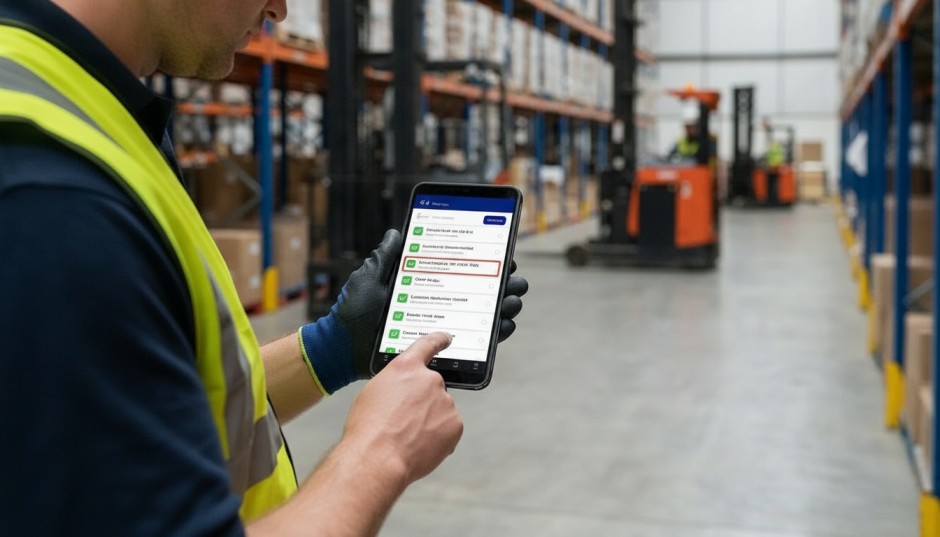
Mobile execution
Designed for field teams: fast capture with verification and minimal admin.
- Barcode & QR Scanning
- Photos & Videos
- Signatures
Use cases
Who is security reporting software for?
Common teams and environments where this solution delivers immediate impact.
Security companies (incident and daily reporting)
Facilities teams (inspections and proof of work)
Multi-site operations (standardised reporting)
Compliance teams (audit evidence and verification)
See Custom Reports working on your sites
A 30-minute live demo, tailored to your operation. No obligation.
Measurable outcomes
What results can you expect from security reporting software?
Results-focused impact: clear improvements your team can feel quickly.
Faster reporting turnaround
More reliable audit trail
Reduced missing evidence
Improved site-level visibility
Works with
- Worxit Dashboard License
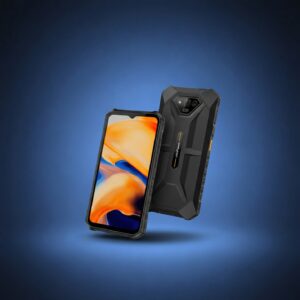
- P100s Rugged Tablet
- All Smartphone Devices
- X13
- X12
- Urovo CT58
- C66
Hardware and licences
What hardware and licences do you need?
Hardware and licences designed for this solution, available in our online store.


Guides
Which guides go deeper on this?
In-depth operational frameworks, compliance guides, and technology comparisons.
Mobile Field Reporting Software for South African Security & Facilities
How security officers and facility inspectors capture structured checklists, geotagged photos, and instant incident reports in the field.
Read guideHow to Manage Security Guards Effectively: Operations & Tech Guide
Operational frameworks to streamline guard supervisor checks, field communications, and client reporting across distributed sites.
Read guideSecurity Guard Daily Activity Report: Template and Examples
The ten sections every security DAR needs, a completed night-shift example, how it differs from the OB and the mistakes to avoid.
Read guideSecurity SLA Report: What to Report to Your Client Monthly
The measures, structure, evidence and review meeting behind a monthly guarding SLA report, with an illustrative example summary.
Read guideFAQ
What do buyers ask about security reporting software?
Common questions from teams evaluating custom reports.
What is security management reporting software?
Security management reporting software replaces paper forms with structured mobile reports that record who submitted them, when and where. Zamatrack's Custom Reports module in Worxit lets field staff capture form data, photos, videos, signatures and scans, and gives managers reports filtered by site, with a full audit trail.
Can staff submit reports without internet access?
Yes. Worxit works offline. Staff keep capturing reports without signal, and each report is time-stamped, linked to the correct site and synced securely to the cloud once a connection is restored.
What can a field report capture?
A report can hold structured form fields, photos, videos, signatures, the GPS location, barcode and QR code scans, text read by the OCR scanner, and South African driving licence (SADL) scans. The time, user and location are recorded automatically.
Which devices run Custom Reports?
Reports run in the Worxit app on smartphones and on rugged devices Zamatrack supplies, including the P100s tablet, the X12 and X13, the Urovo CT58 and the Chainway C66. Managers review and export the reports from the Worxit dashboard.
One platform
Which modules work well alongside it?
Every module shares the same dashboard, users and reports, so you can add more as you grow.
Work Orders
Dispatch and track field service tasks with complete lifecycle management and real-time updates.
Learn moreMaintenance Rounds
Schedule, verify, and report maintenance checks with real-time oversight and proof of work.
Learn moreAsset Management
Register, verify, and track assets across sites with check-in/out, transfers, and GPS proof.
Learn moreReady to see Custom Reports in action?
Book a 30-minute live demo and see how Worxit fits your sites, teams and reporting.